









Virtualized infrastructure has changed how organizations run applications. Instead of relying on physical servers with clearly defined roles, modern environments use dozens or even hundreds of virtual machines that interact with each other. That flexibility comes with a challenge: understanding how applications connect and depend on different systems.
This is where vrealize infrastructure navigator becomes useful. It helps administrators see how applications inside virtual machines communicate and rely on each other. Rather than guessing which servers are connected, the tool reveals application relationships across the entire VMware environment.
For administrators responsible for maintaining uptime and planning infrastructure changes, visibility is critical. vrealize infrastructure navigator provides a clearer view of the environment by automatically discovering applications and mapping dependencies between virtual machines.
what is vrealize infrastructure navigator
vrealize infrastructure navigator is a VMware tool designed to identify applications running inside virtual machines and map their dependencies across a virtualized infrastructure. It works alongside VMware vCenter and integrates directly into the vSphere management interface.
In many virtual environments, administrators know the virtual machines that exist but not necessarily what services are running inside them. Over time, documentation becomes outdated, and infrastructure grows more complex. vrealize infrastructure navigator solves this problem by scanning systems and identifying applications automatically.
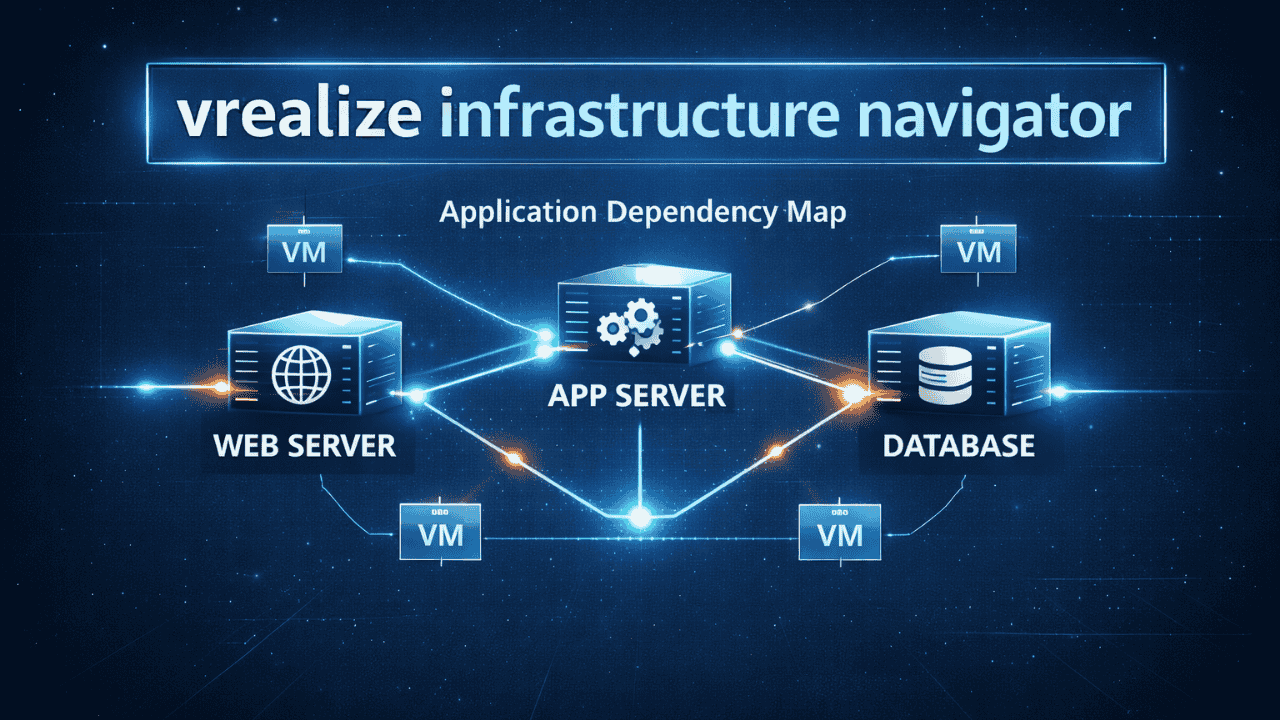
The tool builds a visual map of how applications interact across servers. Instead of manually tracking connections between systems, administrators can view application relationships directly within the vSphere interface.
This visibility helps teams understand the impact of infrastructure changes before they happen.
why application dependency mapping matters in virtualization
Modern enterprise applications rarely run on a single server. A typical application may include multiple components working together.
For example, a common application structure might include:
- a web server handling user requests
- an application server processing logic
- a database storing information
Each component runs on separate virtual machines and communicates through the network. If one part fails, the entire application may stop working.
Without proper visibility, administrators may accidentally shut down or modify a server that other systems depend on. vrealize infrastructure navigator reduces this risk by showing the relationships between virtual machines.
Dependency mapping helps organizations with several critical tasks:
- infrastructure maintenance
- troubleshooting system failures
- migration planning
- disaster recovery preparation
By using vrealize infrastructure navigator, teams can see the full application structure instead of isolated servers.
how vrealize infrastructure navigator works
The core function of vrealize infrastructure navigator is automated discovery. Once deployed in a VMware environment, it analyzes virtual machines and detects applications running inside them.
The tool works through several steps.
First, administrators deploy the navigator as a virtual appliance within the VMware infrastructure. After deployment, it connects to the vCenter Server that manages the environment.
Next, the system begins scanning virtual machines. During this process, vrealize infrastructure navigator identifies applications by examining network traffic, open ports, and service behavior.
After collecting this information, the tool generates a visual dependency map that shows how systems interact.
The map can reveal structures such as:
- web servers communicating with application servers
- application servers connecting to database systems
- messaging services linking multiple applications
This approach allows administrators to understand the architecture of complex systems without installing agents inside each virtual machine.
core features of vrealize infrastructure navigator
Several features make vrealize infrastructure navigator useful in enterprise virtualization environments.
automated application discovery
One of the most valuable capabilities is automatic application detection. Instead of manually cataloging services on every server, the tool identifies common enterprise applications running inside virtual machines.
This saves time and reduces the risk of outdated documentation.
visual dependency mapping
vrealize infrastructure navigator generates visual maps that display communication paths between systems. These maps show which virtual machines are connected and how applications rely on each other.
Administrators can quickly identify relationships that might otherwise remain hidden.
integration with vcenter
Another strength of vrealize infrastructure navigator is its integration with VMware management tools. The information it collects appears directly inside the vSphere web client.
This allows administrators to analyze application dependencies without switching between multiple management tools.
change impact visibility
Infrastructure changes can cause unexpected outages when dependencies are unknown. vrealize infrastructure navigator helps teams understand which systems will be affected before making changes.
For example, if a database server supports multiple applications, the tool will show those relationships before administrators power down the server.
agentless operation
Many monitoring tools require software agents installed inside every virtual machine. vrealize infrastructure navigator avoids that requirement.
Instead, it detects services by observing system behavior and network communication. This approach reduces deployment complexity and avoids compatibility issues.
benefits of using vrealize infrastructure navigator
Organizations that manage large VMware environments often struggle with infrastructure visibility. vrealize infrastructure navigator provides several practical advantages.
better infrastructure visibility
Virtual environments often contain dozens or hundreds of virtual machines. Over time, administrators may lose track of which applications run on which systems.
vrealize infrastructure navigator restores visibility by revealing the applications and services operating inside virtual machines.
faster troubleshooting
When an application fails, identifying the root cause can take time. Problems may originate from databases, application servers, or network connections.
Dependency maps created by vrealize infrastructure navigator help administrators trace problems quickly by showing the entire application structure.
improved migration planning
When organizations move workloads to new infrastructure or cloud platforms, dependencies become critical. Migrating a single server without its supporting systems may cause application failures.
vrealize infrastructure navigator helps teams identify groups of virtual machines that must move together.
stronger security planning
Security teams need to understand how systems communicate across the network. Application dependency mapping provides insight into data flows between servers.
This information supports network segmentation strategies and security policies.
better disaster recovery preparation
During a disaster recovery event, systems must be restored in the correct order. Databases often need to start before application servers, and application servers must start before web servers.
vrealize infrastructure navigator helps administrators understand the correct recovery sequence.
practical use cases in enterprise environments
The value of vrealize infrastructure navigator becomes clear when looking at real-world scenarios.
data center consolidation
Organizations often consolidate servers to reduce hardware costs and simplify management. Before moving workloads, administrators must understand which systems depend on each other.
vrealize infrastructure navigator reveals those relationships and helps teams plan consolidation safely.
application troubleshooting
When performance issues appear in multi-tier applications, the problem may come from several different components.
Dependency maps allow administrators to trace communication paths and isolate the source of the issue.
infrastructure documentation
Documentation often becomes outdated as environments evolve. vrealize infrastructure navigator automatically generates updated application maps, which serve as a living documentation system.
cloud migration planning
Many companies move workloads to hybrid or public cloud environments. Migration requires understanding application relationships so that connected systems move together.
vrealize infrastructure navigator provides the insights needed to plan these transitions.
limitations and evolution of the tool
Although vrealize infrastructure navigator provides strong visibility into virtual machine environments, it was primarily designed for traditional virtualization workloads.
Modern environments increasingly rely on containers and microservices. These architectures require different monitoring approaches.
Some VMware platforms have integrated similar capabilities into newer tools focused on network analysis and application monitoring.
Even with these changes, the core concept behind vrealize infrastructure navigator remains valuable: understanding how applications interact within infrastructure.
conclusion
Managing virtual infrastructure without visibility into application relationships can create serious risks. Administrators may unknowingly disrupt critical services when making infrastructure changes or troubleshooting performance issues.
vrealize infrastructure navigator addresses this challenge by automatically discovering applications and mapping dependencies between virtual machines. The tool provides a clearer picture of how systems communicate and rely on each other.
Through features such as automated discovery, visual dependency mapping, and integration with VMware management tools, vrealize infrastructure navigator helps administrators maintain control over complex environments. It supports tasks like troubleshooting, migration planning, infrastructure maintenance, and disaster recovery preparation.
For organizations running VMware environments, understanding application dependencies is essential. vrealize infrastructure navigator provides the insight needed to manage virtual infrastructure with greater confidence and accuracy.
faqs
what is vrealize infrastructure navigator used for
vrealize infrastructure navigator is used to discover applications inside virtual machines and map the dependencies between them within a VMware environment.
does vrealize infrastructure navigator require agents on virtual machines
No, vrealize infrastructure navigator works without installing agents. It detects services and communication patterns through network analysis and system behavior.
how does vrealize infrastructure navigator help administrators
vrealize infrastructure navigator helps administrators understand application relationships, identify dependencies, and analyze the potential impact of infrastructure changes.
can vrealize infrastructure navigator assist with cloud migration
Yes, vrealize infrastructure navigator helps identify groups of virtual machines that depend on each other, which helps teams migrate applications safely.
where does vrealize infrastructure navigator integrate in VMware
vrealize infrastructure navigator integrates with VMware vCenter and appears inside the vSphere management interface where administrators can view application dependency maps.